
Drum 25
25 US gal
- Empty
- 9.5 lb
- Fits
- One passenger seat
For Microsoft Flight Simulator 2024
Cabin ferry tanks and jerry cans for any prop aircraft.
FerryFuel lets you carry extra fuel in the cabin, the way real pilots do on long ferry flights. Load Turtle-Pac style collapsible ferry tanks or 5-gallon jerry cans onto the passenger seats and baggage area, then move that fuel into the wings with an electric transfer pump or a hand crank — all from a toolbar panel. It does not change any of the sim’s aircraft files.
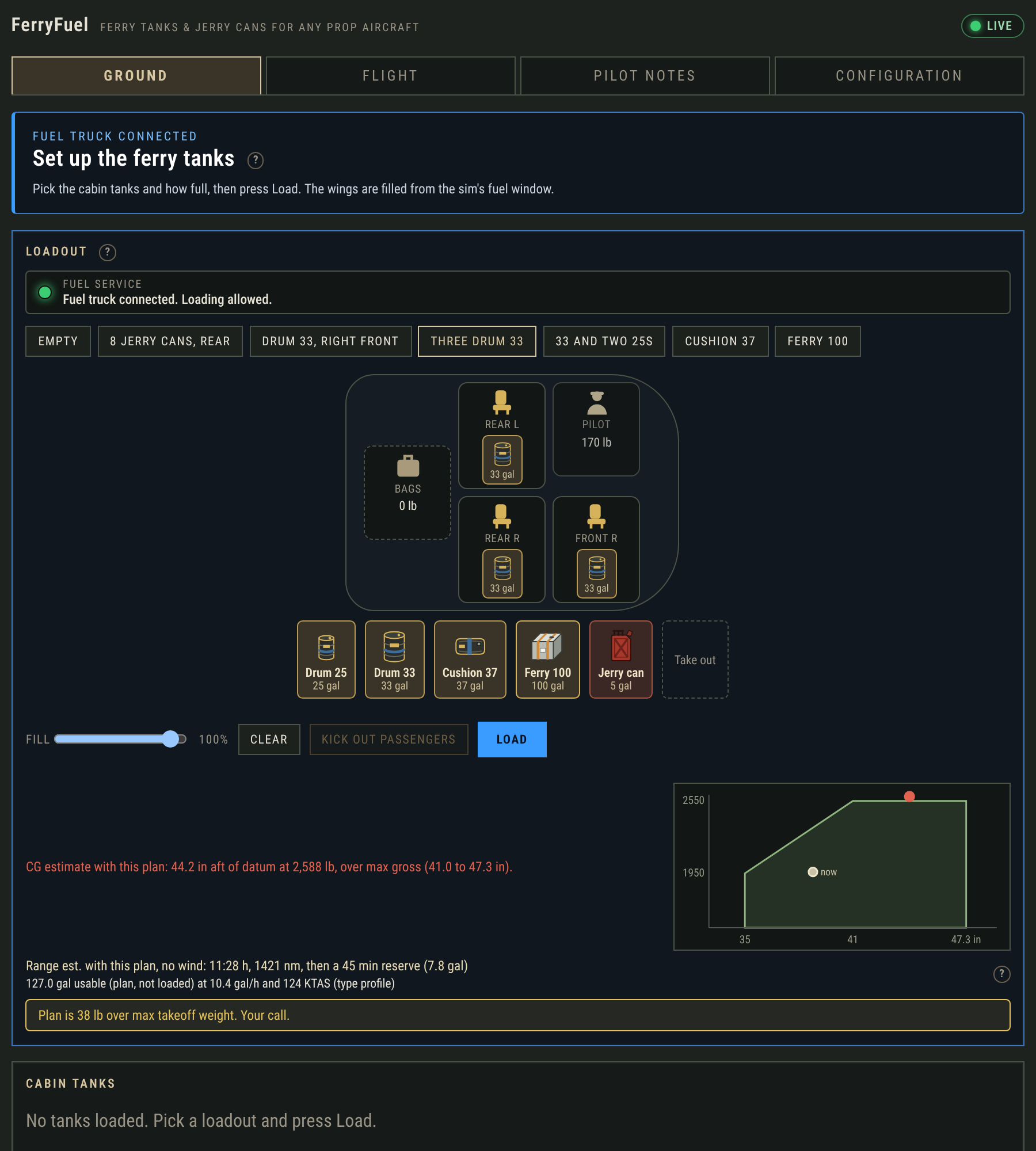
Four collapsible cabin tanks, from a compact drum that occupies one passenger seat to a 100-gallon ferry tank across the rear seat pair. The pilot seat never takes a tank or a can. A seat that already has a passenger in it will not take one either — Kick out passengers sets every passenger seat to zero (pilot, bags, and cargo stay). Baggage is checked against the 120 lb limit of the baggage area.
25 US gal
33 US gal
37 US gal
100 US gal
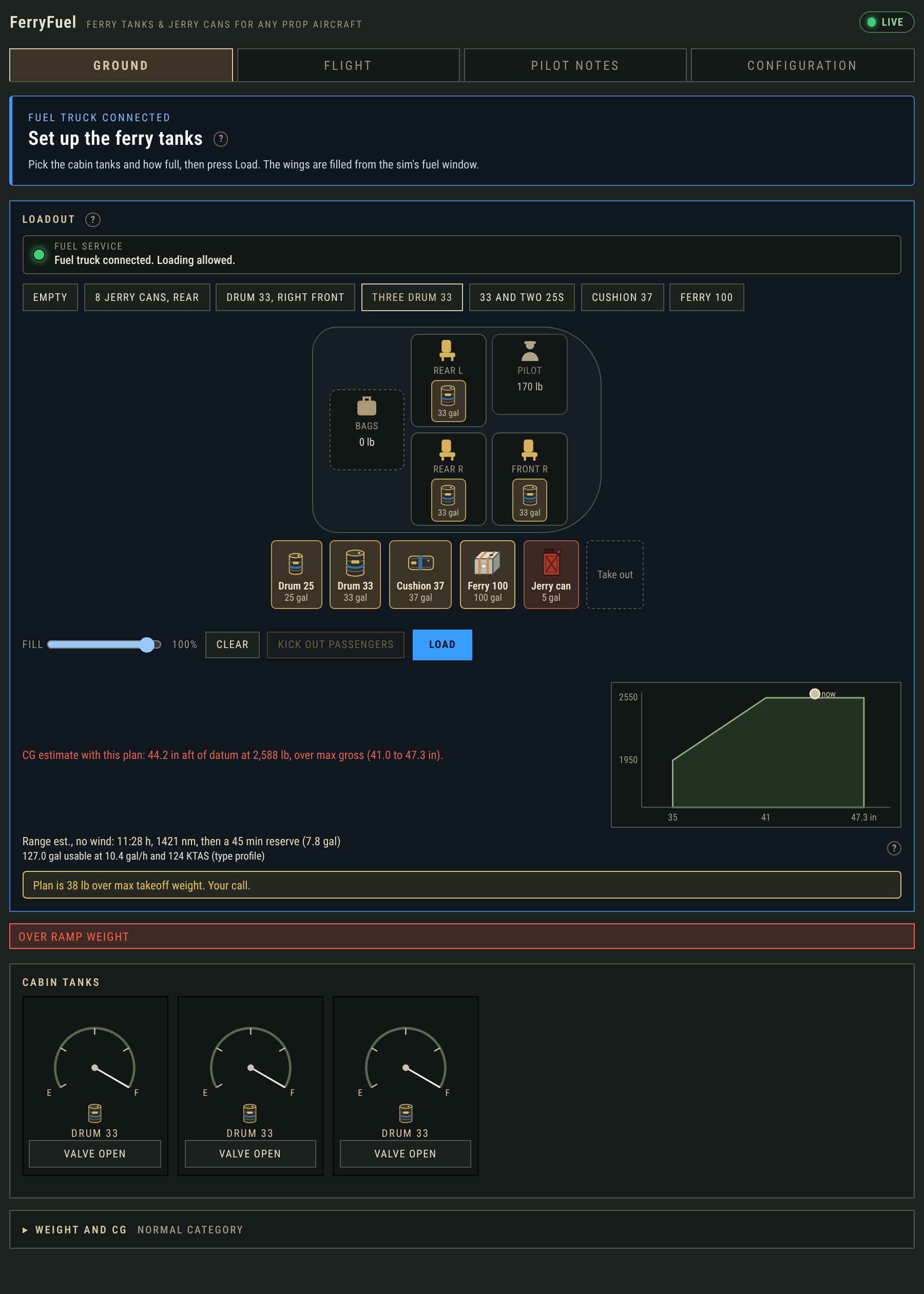
The Ground tab is where you plan a cabin load, check weight and center of gravity, and put fuel aboard. Pick a suggested loadout — Empty, 8 jerry cans rear, Drum 33 right front, Three Drum 33, 33 and two 25s, Cushion 37, or Ferry 100 — or place tanks and cans from the tray onto the seat map.
When a cabin tank is more than you need, 5-gallon jerry cans pack into the seats and baggage area instead. Each can is 5 US gal, about 4 lb empty and 34 lb full.
Cans have no pump or fuel line. To use them, land, stop, and shut the engine down, then pick the left or right wing and press Pour.
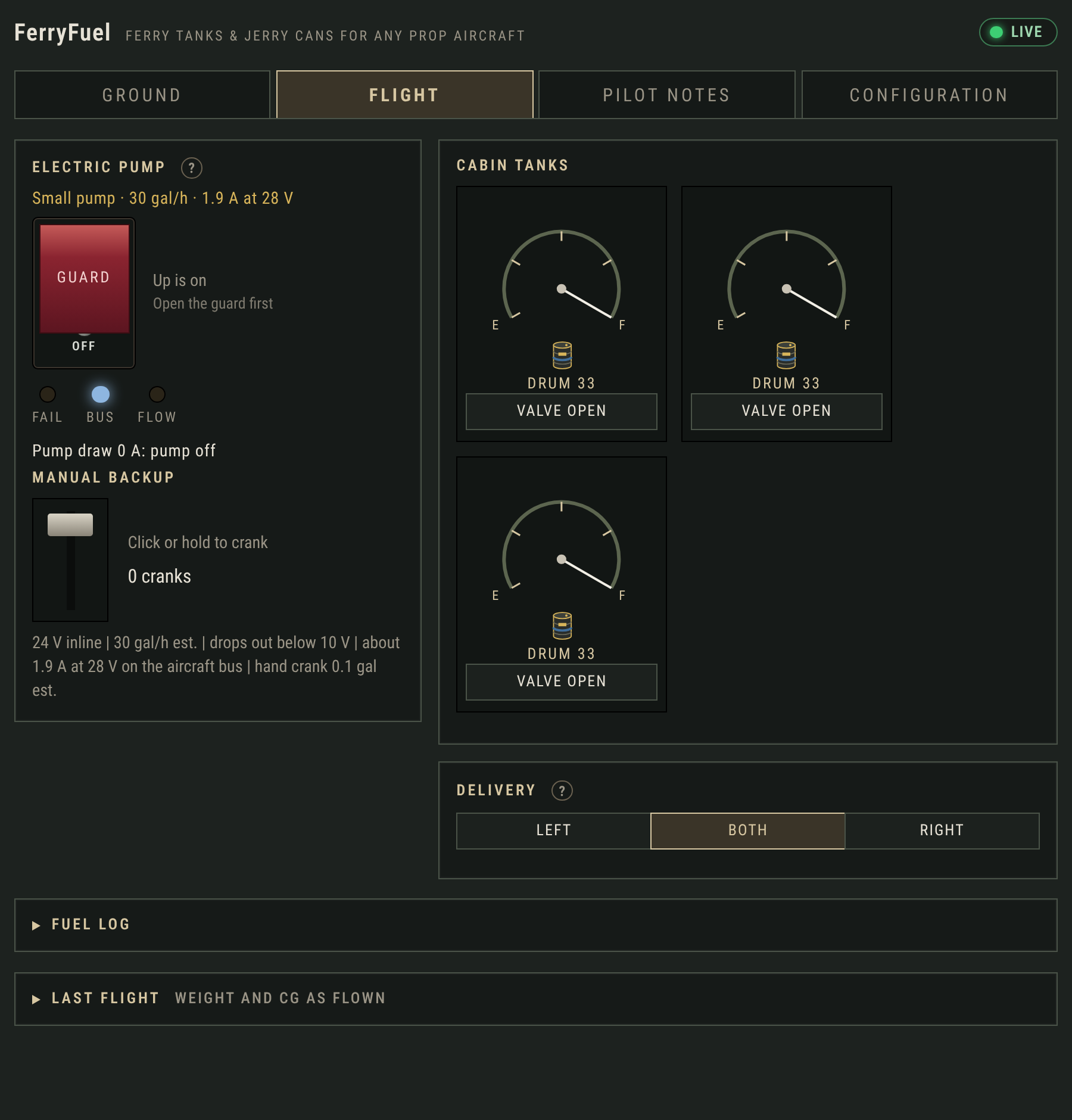
Once you are airborne, the Flight tab moves cabin fuel into the wings. Taking off switches the panel to this tab automatically.
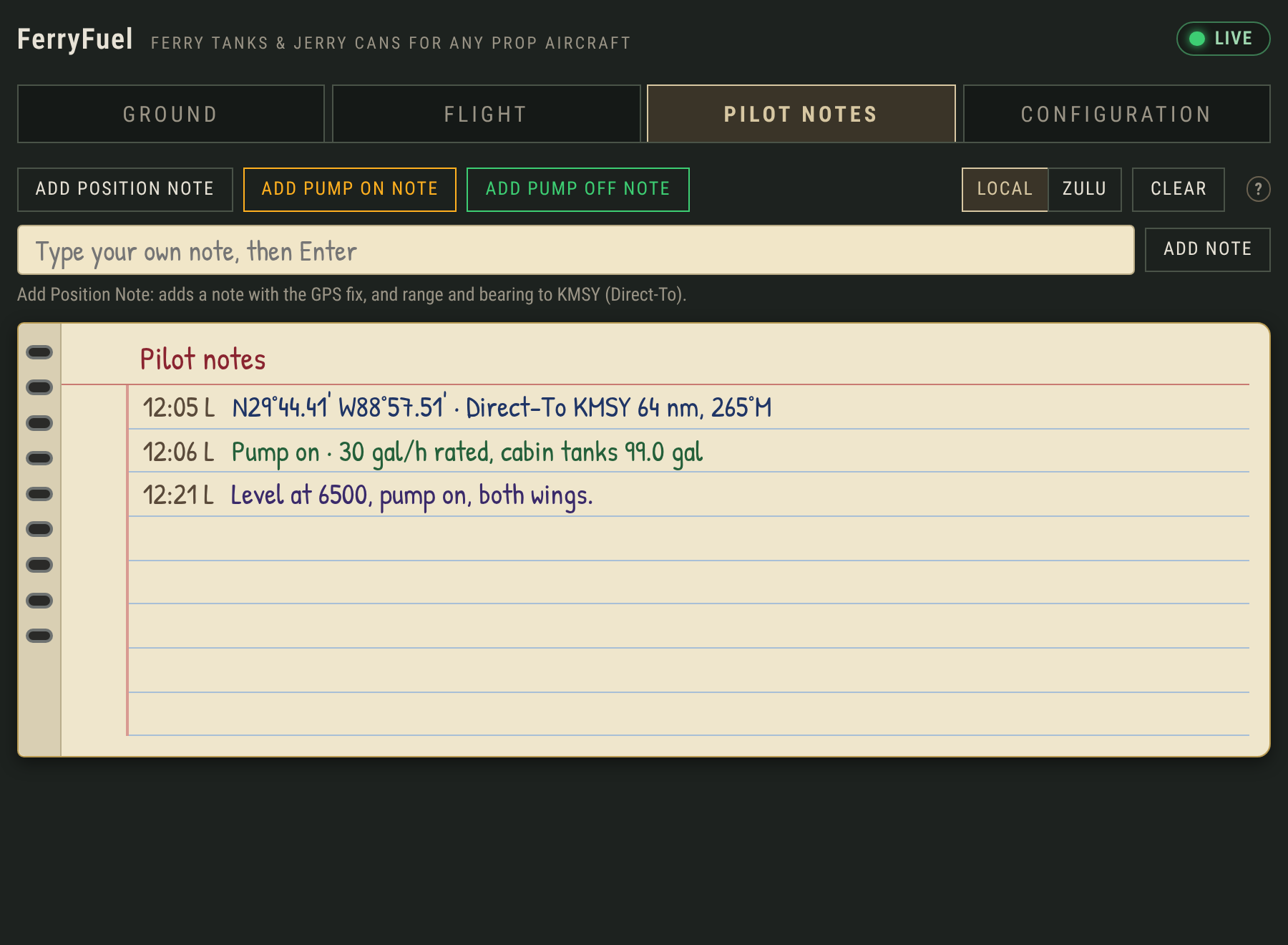
A small notebook for the flight, kept with the panel.
Press Add position note to write down where you are, add transfer notes or type your own note.
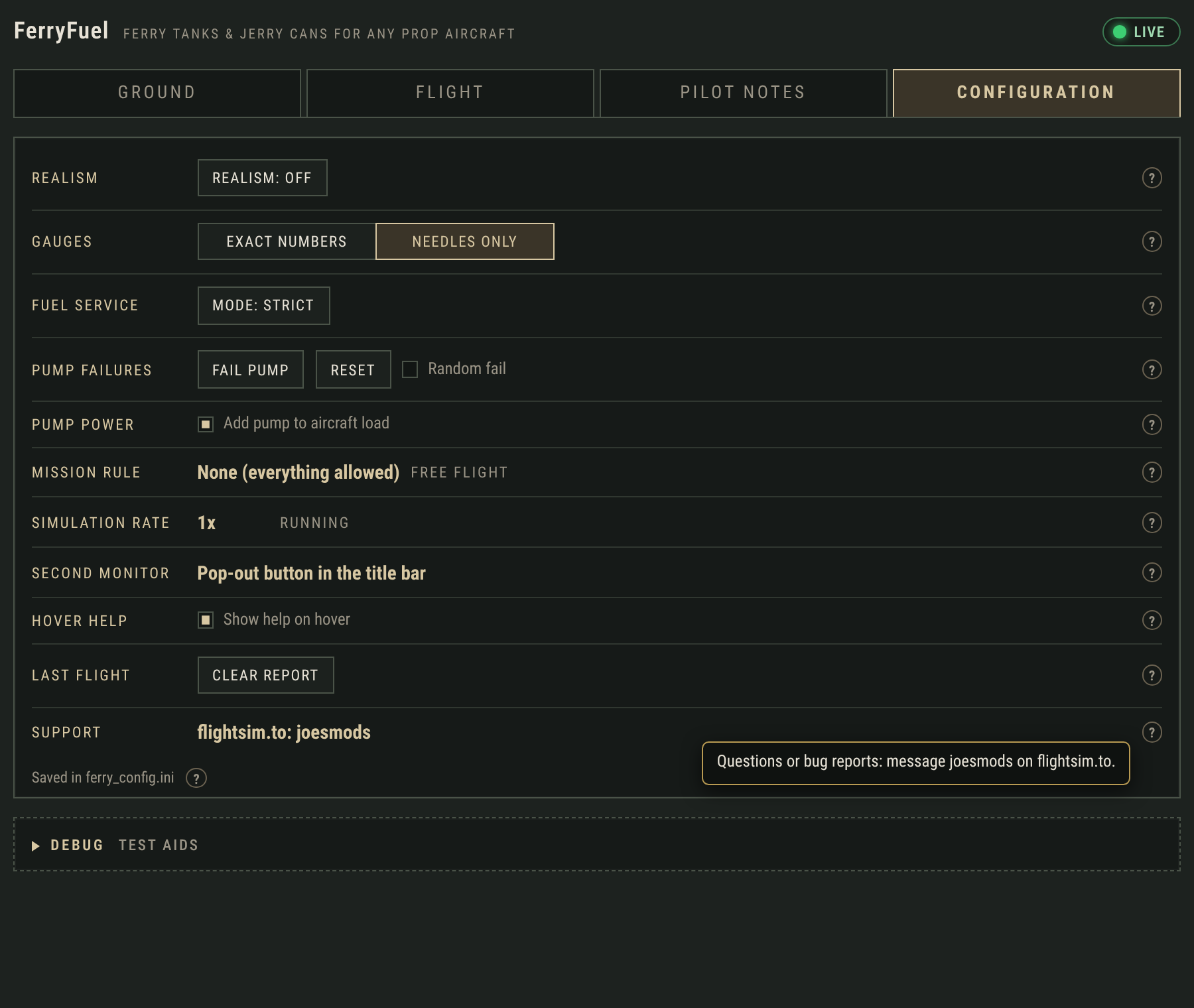
There are two separate packages. Both have the same panel, pumps, jerry-can pouring, Pilot Notes, and settings. FerryFuel Free is complete and fully usable on its own. The full FerryFuel product is sold separately. Install only one of the two packages at a time.
| FerryFuel Free | FerryFuel | |
|---|---|---|
| Cabin tanks | One Drum 25, filled up to 10 gal | Drum 25, Drum 33, Cushion 37, Ferry 100 |
| Jerry cans | Up to two | Up to 4 per seat and 4 in baggage |
| Combo loadouts | — | All suggested loadouts |
In FerryFuel Free, Drum 33, Cushion 37, Ferry 100, and the combo loadouts show greyed out, with a note that they are part of the full product. Support and sales are through FlightSim.to.
A few things FerryFuel does not pretend to do:
FerryFuel and FerryFuel Free are available on FlightSim.to. Install is a Community-folder drop — no installer and no extra software. Open the panel from the sim’s toolbar (a duffel bag marked FERRY with a fuel gauge).
Support and questions: FlightSim.to, username joesmods.